GTAXTREME
Find nearby ATMs through Personal → Cash Deposits or Buckme’s ATM Finder, deposit or withdraw cash and understand the risks of the winch robbery.
If you need cash for a payment or want to deposit what you are carrying, use the game’s ATM navigation tools first. The bank locations guide covers bank buildings; the ATM list is the more direct route to an available cash machine.
World map: open Personal → Cash Deposits, move into the list and select an ATM. Confirm the waypoint using the current on-screen prompt. The reported figure of 154 ATMs refers to a recorded list, not a verified total that every save must display.
Phone: open Buckme and scroll to ATM Finder to set a route to a nearby machine. The app becomes available through the bank-account introduction; check the Buck Me mission if you have not reached that step yet.
Chapter 3 jobs: Yasmani’s ATM Jobs provide their own marked objectives. Use those markers for the active job, rather than treating the robbery strand as a prerequisite for ordinary deposits and withdrawals.
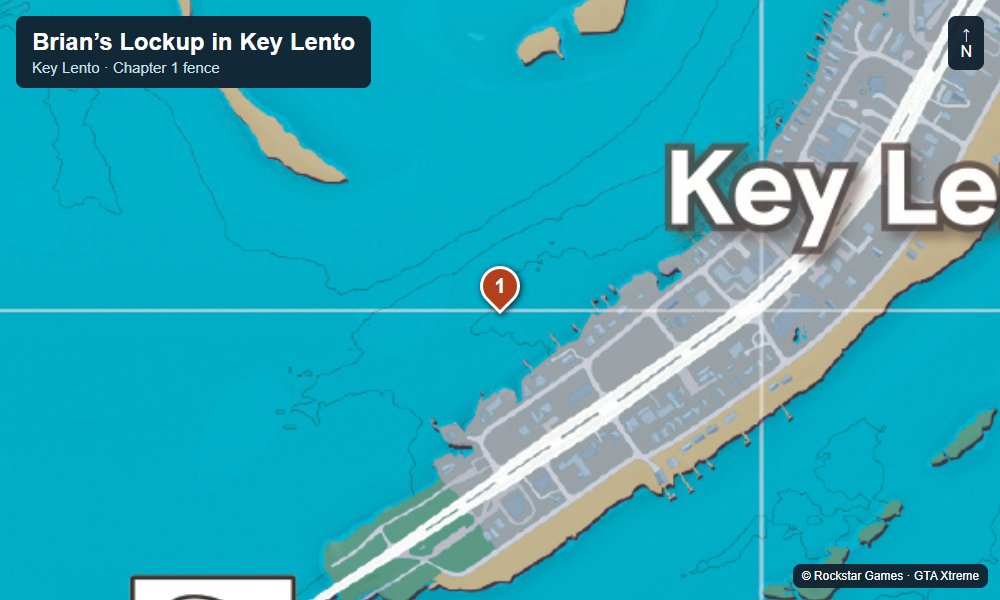
1. Example ATM in northern Key Lento
GosuNoob’s banking clip selects a machine in the northern Key Lento shopping area, then approaches an exterior ATM on a green wooden building. Use Cash Deposits or ATM Finder to set the current waypoint. The map here highlights the surrounding area, not every ATM or an independently verified terminal coordinate.
Look for the red ATM sign above the wall-mounted machine and approach from the pavement. Interact with the terminal and choose the banking action from its menu. Check the amount and the balance you are moving before confirming. The Key Lento locations guide helps you identify nearby shops while you are in town.
From about 1:50, the clip approaches the green building and shows the ATM interaction. The earlier section explains the map and phone shortcuts.
See GosuNoob’s example ATM and deposit menu
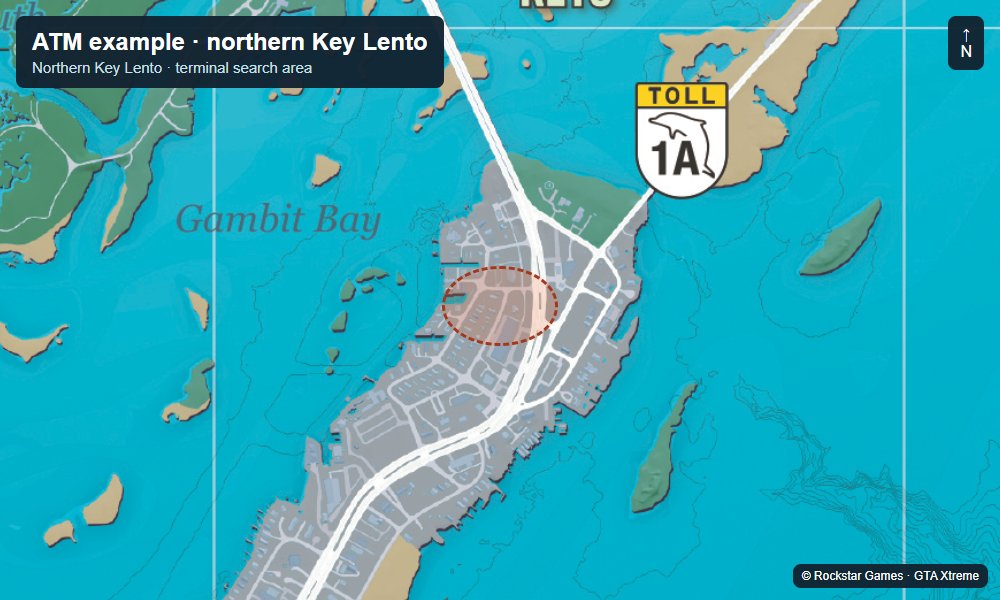
Map by Rockstar Games. Markers and screenshots by GTA Xtreme.
Deposits, withdrawals, Family Savings and ATM robberies
Deposits and withdrawals: at the ATM, choose Deposit, enter the amount and confirm to move carried cash into Buckme. Use the withdrawal option when you need notes in your pocket. Deposit Cash Into BuckMe is the related task entry if you are following that objective.
Family Savings: in Buckme, select Family Savings and use Buck Yourself to transfer existing account funds. This is a transfer between balances, rather than a way to deposit physical cash through the phone. For a practical cash-only payment, the Chapter 2 guide explains Linda’s motel rent.
Winch setup: GosuNoob demonstrates a suitable vehicle fitted with a winch through Bodywork → Towing at a mod shop. Check vehicle compatibility and the current installation quote before buying; roughly $1,400 is an example setup figure, not a universal price. Vehicle registration matters if you want to keep the modified truck.
Pulling the ATM: use an accessible exterior machine, reverse into position and follow the attachment prompt. Pull away and work the vehicle side to side as shown until the machine comes loose. Expect police attention. Follow the current prompts for retrieving and opening the dropped cash containers.
Marked-money caveat: the robbery material warns about dye packs and marked cash. A displayed cash drop is not a guaranteed spendable profit, especially early in the story. Do not assume that fence and pawn shops can make every marked bill usable. This is why the winch clip is a demonstration rather than a reliable earnings promise.
For other cash sources, the loot locations cover safes and pickups, while the jewelry buying guide separates Lucia’s gift purchase from luxury-shop robbery targets. Banking, account transfers and robbery rewards are different systems; check the actual balance after each action.
Video: GosuNoob’s winch ATM robbery
The 5:49 clip shows the vehicle upgrade, exterior ATM and towing sequence. Watch the marked-money outcome and police response instead of treating the visible cash as guaranteed profit.